
Staying on Top of Your Photo Organization
When it comes to photo organization, most people land in one camp. Are you in the organized camp or the total chaos camp? You may have a system for your photo storage. Or you might fall in the latter, drowning in a photo library filled with thousands of duplicates and random screenshots. Today we offer simple tips for organizing your current photos, finding better practices for staying on top of your storage, and how your Golden Coil notebook can assist you in tracking and utilizing your captures.
Digital Organization
When tackling your digital photos the most important step is to choose one central place to store your items. Apple and Google offer central places to store your photo storage. These free tools offer good organization and folder options that will help you manage everything and will allow you to back up and sync your photos across devices.
If you are a professional photographer or a hobbyist, an external hard drive is a great investment. You can back up after photoshoots or schedule regular backup dates on your calendar. You can also add an additional cloud-based file storage backup, such as Dropbox or Microsoft OneDrive.
Catch Up
Depending on how many photos and screenshots you take, this process can be time consuming but worth it! Your phone can identify duplicates and make it easier to delete groups of photos, but you may still want to check the duplicate selections to make sure you don’t accidentally delete something you want to keep.
When you’re ready to begin, pick a year to start with and work through each month. Pair your editing with a cozy movie or an audiobook in the background while you work. This process will take some time to work through. If this approach sounds too labor intensive, you can alternatively search today’s date and delete any unwanted photos or screenshots. Make a daily habit of working through this each day by searching the current date and deleting anything you don’t want. No matter what method you choose, always note where you’ve left off and begin again. As you get going you will find a good rhythm with sorting and deleting.
Print Organization
While the digital photo curation process can be time consuming, it will offer you a chance to look through all of your photos and you may find many you want to print copies of. Make a folder for printing as you work. Once you have identified the photos you want to print, use a local photo printing service or an online one to print your photographs. If you don’t plan to frame everything you print, you can also invest in an archival box for your prints. We recommend one with envelopes or dividers for months/years. If you opt to store prints in a box, be mindful of the temperature where you store your box. A dry, temperature controlled space is your best option, such as in a cabinet or under your bed. Avoid storage units and basements that may be damp. We are also big fans of putting together photo books, either organizing by an event or trip or by the year. There are many great resources for putting together photo books. If you’re looking for inspiration, we love Artifact Uprising.
Stay Ahead
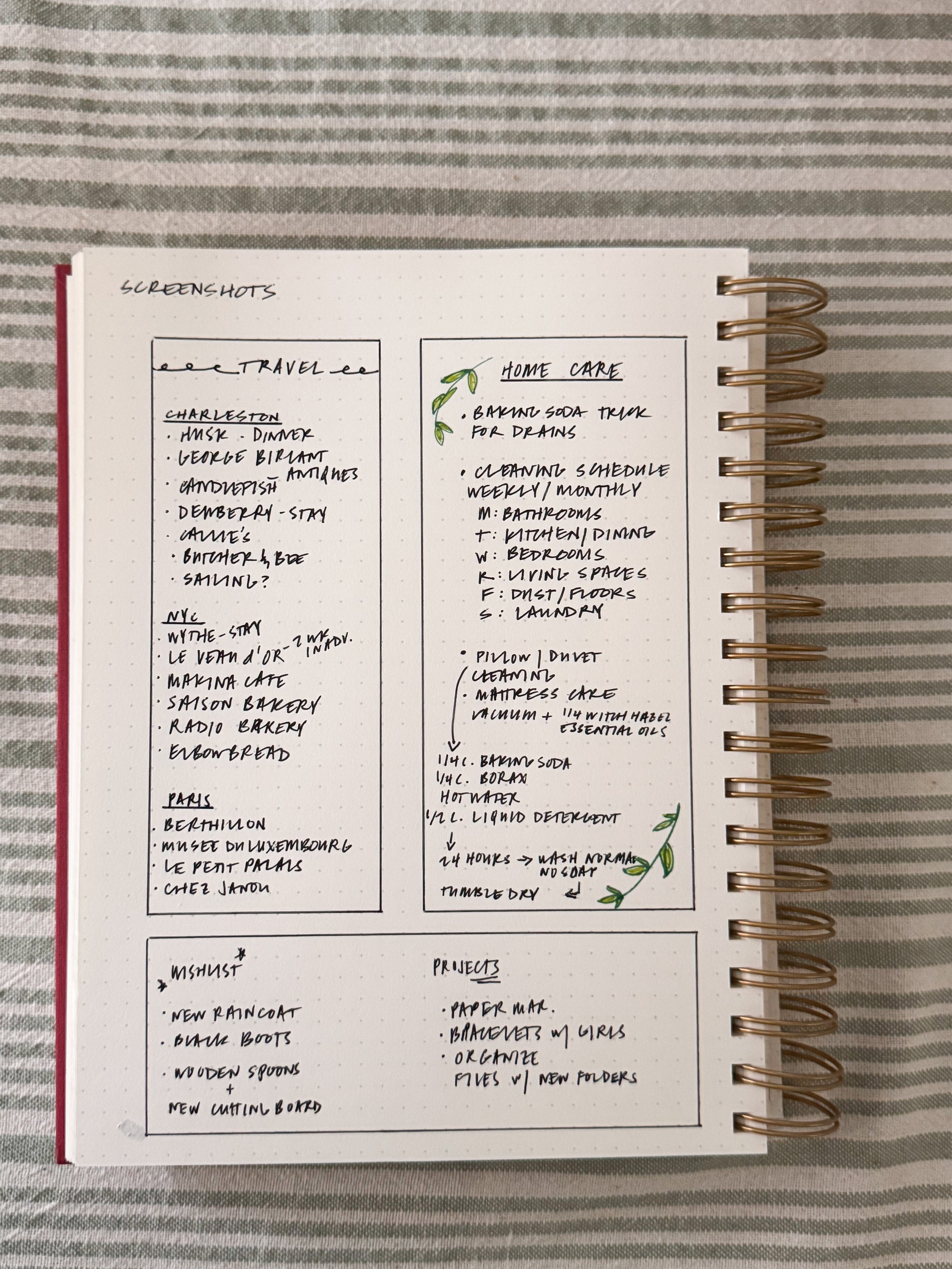
After all of the time spent curating photos, it’s really important you implement good habits and practices for photo curation going forward. If you are someone who takes a lot of photos and screenshots and waits for your phone to tell you you’ve run out of storage before you delete anything, do your best to work on better editing habits. One of our easiest tips is to use the favorite or “heart” function when you are taking photos. Select your favorite photo and and heart it. Delete the duplicates at the moment you shoot the photos. When you have a chance at the end of the week, select the previous week’s dates and review the photos for the week. Delete extras and note any screenshots you took. This is a great time to utilize your Golden Coil notebook or planner! We like to reserve a section in the back of our notebooks for screenshot notes. This might include books you want to read, movies or TV shows to watch, the houseplant or cleaning tip you read, memorable quote, or the cool hotel in Amsterdam a friend recommended. Chances are your screenshots will be lost, forgotten about, or never looked at. Putting your favorites on paper will help you utilize all of the tips and recommendations you took the time to save! And if you’re someone who likes to screenshot recipes from social media, check out the app, ReciMe. Rather than screenshotting a recipe, you can send the recipe from social media directly into the app and organize it into a folder.
We’d love to hear from you about how you edit and curate your digital and print photos. Any tips to share for staying on top of editing and deleting extras? Do you take a lot of screenshots and how do you manage them? We’d love to hear from you in the comments!